
The world of eCommerce is expanding faster than ever, with millions of online stores competing for visibility. Yet, many eCommerce businesses unknowingly fall into common SEO traps that quietly drain traffic, reduce conversions, and limit their growth potential. Understanding and correcting these SEO mistakes can make a massive difference in how your online store performs in search results and, ultimately, how it converts visitors into loyal customers.
Whether you’re managing a Shopify, WooCommerce, or custom-built store, your SEO strategy determines how well your brand stands out in search engines. Many brands invest heavily in web design and product photos but overlook technical and strategic SEO components that drive long-term success. According to insights shared on Buzz Marketing’s blog, many businesses still repeat these preventable errors that hold their rankings back.
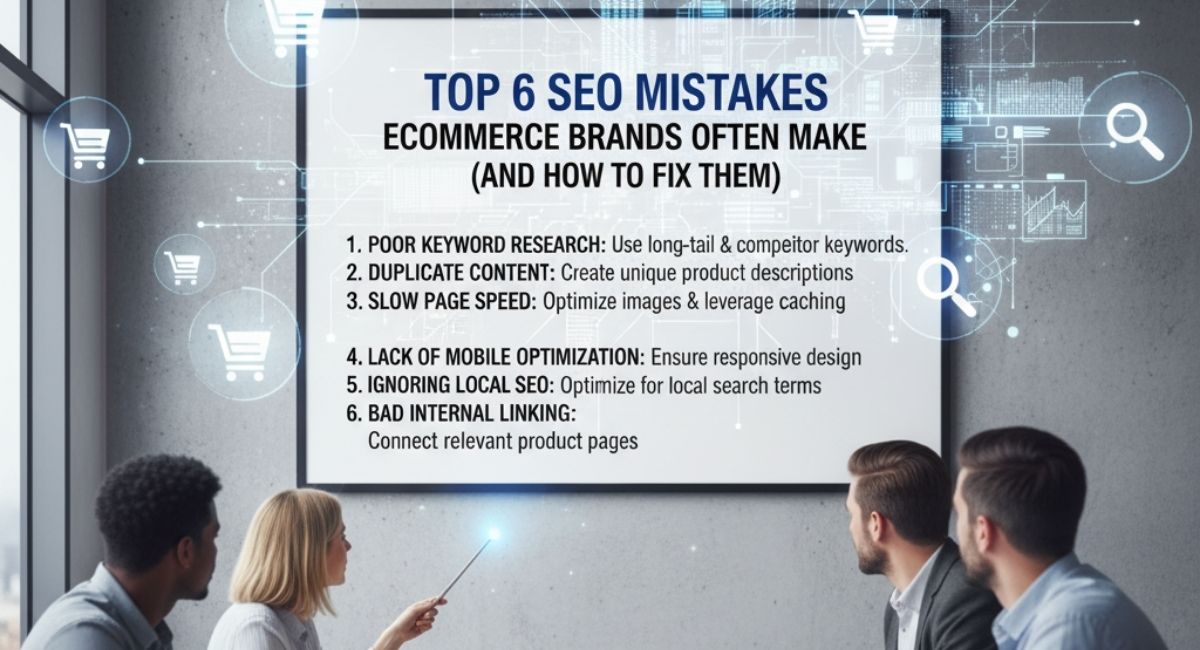
Let’s take an honest look at the top six SEO mistakes eCommerce brands often make—and how to fix them with practical, actionable steps.
1. Ignoring Technical SEO and Site Structure
Many eCommerce owners assume that adding keywords and optimizing titles is enough. In reality, technical SEO forms the backbone of your entire search performance. Without a clean site structure, efficient crawling, and proper indexing, even the best content won’t perform well.
Why It Matters
Search engines rely on technical signals to navigate your website. A poorly structured site confuses both users and crawlers, leading to indexing errors, low visibility, and a frustrating experience.
Common Technical SEO Issues in eCommerce:
- Broken links or orphan pages
- Missing XML sitemaps or incorrect canonical tags
- Duplicate content from product variations
- Unoptimized robots.txt blocking important pages
- Slow mobile performance
How to Fix It:
- Audit Your Site Regularly: Conduct a full technical SEO audit using tools like Screaming Frog, Ahrefs, or Google Search Console. You can also explore our Technical SEO services for a professional audit that identifies crawl errors, redirects, and missing tags.
- Fix Site Hierarchy: Group products logically under clear categories. Each category should link back to the homepage and contain contextual internal links.
- Improve Mobile and Core Web Vitals: Mobile-first indexing means your site must load quickly on all devices. Compress images, enable browser caching, and implement lazy loading.
- Use Structured Data: Apply product schema markup to help Google understand your product details like price, availability, and reviews.
2. Duplicate Content Across Product Pages
Duplicate content is one of the most damaging eCommerce SEO issues because it confuses search engines about which page to index. With hundreds of product variations, descriptions, or manufacturer data, duplication can happen unintentionally.
The Hidden Problem
Search engines penalize or ignore duplicate pages, reducing your organic reach. Many stores copy manufacturer descriptions or repeat similar product titles across pages, creating redundancy.
How to Fix Duplicate Content Issues
| Problem Type | Example | Solution |
| Same product descriptions | Multiple listings using identical text | Write unique product copy |
| URL parameters | “?color=red” or “?size=medium” | Use canonical tags |
| Category and tag overlap | “/shoes/sneakers” and “/sneakers” both exist | Consolidate categories |
| Copied manufacturer content | Imported supplier descriptions | Rewrite for your target audience |
A better approach is to create original, value-driven product descriptions that match your audience’s search intent. If writing unique content for hundreds of products sounds overwhelming, you can rely on our Product Description Copywriting Services to craft conversion-focused descriptions tailored to your brand.
Bonus Tip:
Always set canonical URLs for product variations and filter pages. This tells Google which version is the “master” page to index, preventing duplication errors.
3. Missing Alt Tags and Poor Image Optimization
Visuals play a central role in eCommerce, but many store owners upload product images without optimizing them for search. Missing alt tags, oversized files, and non-descriptive filenames all limit visibility in Google Images and slow down your site.
Why Image SEO Matters
Product images influence user decisions and impact ranking signals. Properly optimized images can drive additional traffic from image search, enhance accessibility, and improve user experience.
Fixing Image SEO Step-by-Step
- Add Alt Tags: Each image should have an alt attribute that describes what’s shown. For example, instead of “IMG_123.jpg,” use “red leather handbag for women.”
- Compress Images: Use tools like TinyPNG or ImageOptim to reduce file sizes without losing quality.
- Name Files Descriptively: Use keyword-friendly filenames like “men-running-shoes-nike-airmax.jpg.”
- Use WebP Format: This modern format offers better compression and faster load times.
- Optimize Lazy Loading: Ensure product pages load essential images first for faster performance.
If image optimization feels technical, our Web Speed Optimization Services can help ensure that all visuals and assets load efficiently without compromising quality.
4. Slow Site Speed and Poor User Experience
Site speed directly affects SEO rankings and conversion rates. Research consistently shows that if a page takes more than 3 seconds to load, visitors start leaving. Slow performance often stems from large image files, unoptimized code, or overloaded plugins.
Why Speed Affects SEO
Google measures page speed as a ranking factor under Core Web Vitals. A faster site improves engagement metrics like dwell time, bounce rate, and click-through rate—all of which influence your organic visibility.
How to Improve Site Speed
- Use a Content Delivery Network (CDN): Distribute your content across multiple servers to reduce latency.
- Minify CSS, HTML, and JavaScript: Remove unnecessary code characters.
- Enable Caching: Browser caching saves frequently accessed files locally.
- Optimize Hosting: Choose a hosting service optimized for eCommerce platforms like WooCommerce or Shopify.
- Reduce Redirects: Too many redirect chains slow down loading.
If you operate on platforms like Shopify, investing in expert optimization from our Shopify Store Development Team can enhance site performance and user experience, ensuring your storefront runs smoothly even during peak traffic.
5. Poor Internal Linking and Weak Content Strategy
Many eCommerce stores fail to leverage internal linking effectively. Instead of connecting relevant product and informational pages, they rely solely on navigation menus. Internal linking improves crawlability and helps distribute link equity across your website.
Why Internal Linking Is Important
It guides both users and search engines to understand your site structure and the relationships between pages. Well-placed internal links also keep visitors browsing longer, reducing bounce rates.
How to Fix It:
- Link related products, blogs, and categories within content naturally.
- Use keyword-rich anchor text that fits the context.
- Build content clusters around main product themes.
- Regularly update links when adding new collections or articles.
For example, if your brand sells beauty products, you can connect blog posts about “skincare routines” to product pages for moisturizers or cleansers. For guidance on improving your content flow, exploreour Web Content Optimization Services.
A well-planned internal linking strategy is the bridge between technical SEO and content marketing. It keeps your visitors engaged while signaling to Google which pages hold the most value.
6. Neglecting Mobile Optimization and Conversion Elements
Even though mobile commerce accounts for more than half of global online sales, many eCommerce brands still don’t fully optimize their sites for mobile users. Mobile SEO isn’t just about responsive design—it’s about delivering a friction-free shopping experience.
Mobile SEO Challenges
- Tiny or unclickable buttons
- Inconsistent layouts across devices
- Pop-ups blocking product details
- Slow checkout loading
- Inaccurate viewport settings
How to Fix It
- Adopt a Mobile-First Approach: Test every new design on mobile before desktop.
- Simplify Navigation: Keep menus short and prioritize key categories.
- Streamline Checkout: Reduce the number of steps and autofill fields where possible.
- Test Across Devices: Use Google’s Mobile-Friendly Test to identify errors.
- Improve Conversion Rate Optimization (CRO): Small design tweaks can make a big difference in sales. Consider expert help fromour Conversion Rate Optimization Services to analyze user behavior and boost conversions.
Quick SEO Health Check for eCommerce Websites
| SEO Element | Common Mistake | Impact | Recommended Fix |
| Site Structure | Unclear categories or broken links | Poor crawlability | Create logical hierarchy, fix redirects |
| Product Pages | Duplicate content | Keyword cannibalization | Write unique copy, set canonical tags |
| Images | Missing alt tags | Missed traffic from Google Images | Add descriptive alt text |
| Site Speed | Large media files | High bounce rates | Compress images, use CDN |
| Internal Links | Weak connections | Low authority distribution | Link relevant products and blogs |
| Mobile Experience | Non-responsive design | Low mobile conversions | Test mobile usability and optimize |
Why These SEO Mistakes Keep Happening
The most common reason these issues persist is that eCommerce brands often prioritize sales campaigns and design over optimization. SEO requires both patience and consistency. Many teams don’t realize that a poorly configured website or repetitive content can quietly erode organic rankings.
Modern SEO isn’t just about keywords. It’s a blend of technical health, on-page structure, and audience intent. Brands that treat SEO as a continuous process, rather than a one-time setup, consistently outperform their competitors.
If your business operates across multiple regions, our International SEO Services can help you structure multilingual pages, optimize local targeting, and ensure your site meets international search standards.
Frequently Asked Questions (FAQs)
1. How often should eCommerce websites perform an SEO audit?
At least twice a year. However, high-traffic stores or those frequently adding new products should perform quarterly audits to ensure proper indexing, redirects, and content updates.
2. What is the best way to handle product variations for SEO?
Use canonical tags to consolidate similar pages and avoid duplication. Keep the main product page as the indexable version while using structured data to display color or size options.
3. Can duplicate descriptions from suppliers harm my SEO?
Yes, they can. Always rewrite descriptions in your brand’s tone. Tools like Buzz Marketing’s copywriting services can help create unique and SEO-optimized text.
4. How do internal links affect eCommerce SEO?
They help distribute link equity, improve crawl depth, and guide visitors toward related products, improving user engagement and conversions.
5. Why does page speed matter more for eCommerce than blogs?
Because shopping intent is time-sensitive. Slow pages cause frustration and cart abandonment. Faster loading means more satisfied visitors and higher sales.
6. How can I test if my website is mobile-friendly?
Use Google’s Mobile-Friendly Test or PageSpeed Insights. These tools highlight layout and usability issues that affect mobile SEO performance.
7. What’s the best platform for SEO—Shopify, WooCommerce, or Custom?
Each has pros and cons. Shopify offers simplicity, WooCommerce provides flexibility, and custom sites offer total control. What matters most is how well your SEO structure is implemented, which can be handled by specialists likeBuzz Marketing’s eCommerce Web Development Team.
Final Thoughts
Avoiding these six common SEO mistakes can transform how your eCommerce store performs in organic search. From cleaning up duplicate content to optimizing images and improving site speed, every small step builds long-term visibility and stronger brand authority.
SEO isn’t a one-time setup, it’s an ongoing strategy that evolves with your products, market trends, and audience behavior. Whether you’re running a growing online shop or managing an enterprise-level store, investing in professional SEO and web management is the most sustainable way to scale.
If you’re ready to identify and fix your store’s SEO weaknesses, consider partnering withour eCommerce SEO Services. Their team specializes in helping online brands improve rankings, conversions, and overall digital performance—turning browsers into loyal customers.